Top 7 Underrated AI Tools for Podcast Editing & Noise Removal
Bad audio kills shows faster than bad content. Nobody finishes an episode that hurts to listen to, no matter how good the guest is. The good news is that in 2026, AI audio tools can turn a phone recording from a noisy room into something that sounds close to studio quality, often in one click, and several of the best tools are free or close to it.
This list focuses on the underrated tools, the ones podcasters recommend to each other but that rarely top the big roundups. Each one solves a different job: removing background noise, fixing muddy voices, cutting filler words, or mastering a finished episode. Pick the tool based on where your audio already lives and which job you actually need done.
Quick Comparison: 7 Underrated AI Podcast Tools
| Tool | Main Job | Free Tier | Best For |
|---|---|---|---|
| Adobe Podcast Enhance | Noise removal and voice clarity | Free, 3 hrs a month | One click cleanup of speech |
| Auphonic | Mastering and loudness | Free, 2 hrs a month | Consistent sound across episodes |
| Descript Studio Sound | Transcript editing plus cleanup | Free, 1 hr a month | Editing audio by editing text |
| Cleanvoice AI | Filler word and noise removal | Free trial, 30 min | Removing ums and mouth sounds |
| Resound | AI mixing and mastering | Free, 10 min a month | Fast automated mixing |
| Krisp | Live call noise cancellation | Free, 60 min a day | Clean remote recordings |
| Podcastle | Recording, cleanup and editing | Free tier available | All in one podcast studio |
Share:
1. Adobe Podcast Enhance Speech

Adobe Podcast Enhance Speech is the best single purpose free tool for cleaning up speech, and podcasters call it the best free tool in podcasting right now. You upload a voice recording, phone mic, noisy room, echo, it does not matter, and Adobe AI strips the noise, evens the levels, and gives you back a voice that sounds like it was recorded in a treated studio. No account is needed for the basic version, and there is no watermark on the output.
The free tier gives you 3 hours of processed audio per month, which is generous for most solo creators. The catch is that it is built for speech, not music, and not mixed audio with multiple overlapping voices and background sound effects. It is also a single file web tool, so it does not fit a batch workflow. For a one off clean file, fast, nothing beats it.
Key features: one click noise and echo removal, voice clarity enhancement, free with no account for basic use, runs entirely in the browser.
Pricing: free, 3 hours a month. Check the Adobe Podcast site for current limits.
2. Auphonic
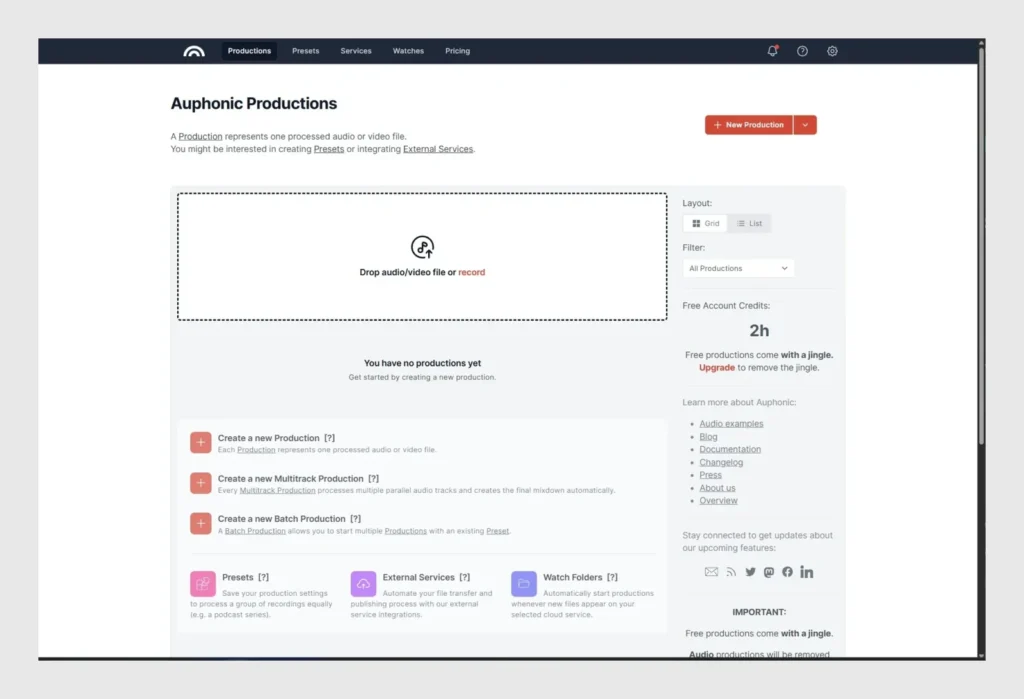
Nobody talks about Auphonic. They should. It is the quiet workhorse at the end of the production chain: upload your finished edit, and the AI handles loudness normalisation, balances the levels between speakers, kills background hum, strips noise, and applies the loudness standards that podcast platforms expect. It is the mastering step, and it is what makes every episode sound like the last one.
Auphonic free tier gives you 2 hours of processed audio per month, and paid processing is inexpensive. It also handles metadata, chapter marks and publishing to hosting platforms, which saves a surprising amount of fiddly work at the end of each episode. If you publish on a schedule and need consistency, Auphonic earns its place in the chain.
Key features: loudness normalisation to podcast standards, level balancing between speakers, hum and noise removal, metadata and chapter support, batch processing.
Pricing: free tier with 2 hours a month, paid plans based on processing hours. Check the official site for current pricing.
3. Descript Studio Sound
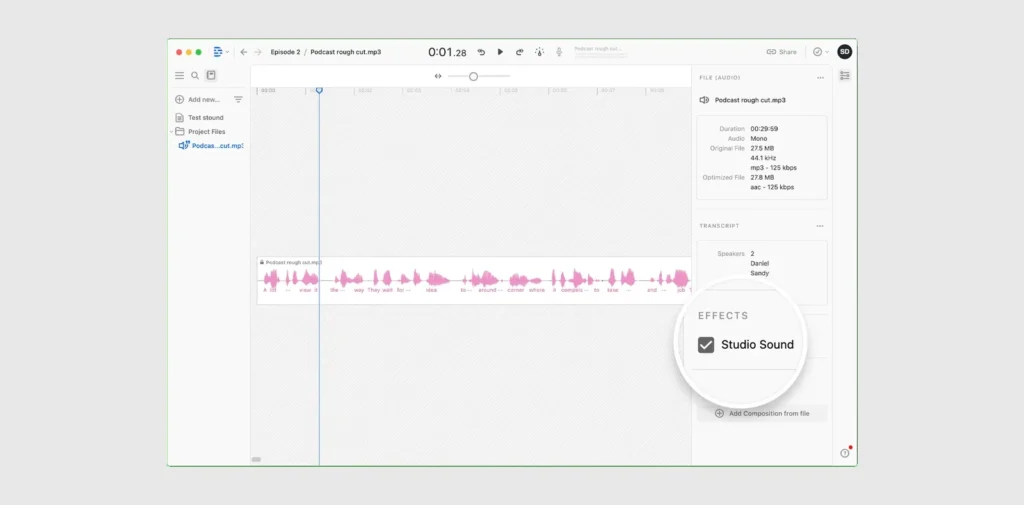
Descript changed podcast editing by turning audio into text. You edit the transcript, deleting words, filler and long pauses, and the audio cuts with it. An hour of recording can be tightened in minutes. Studio Sound is Descript AI noise reduction and voice clarity engine, built into the same editor, so cleanup and editing happen in one place.
The free tier includes Studio Sound plus a capped number of transcription minutes a month, the cap moves around, so check inside the app rather than trust an old blog post. Paid plans start around $12 to $24 a month depending on tier. If you are producing regular episodes and want transcript based editing plus cleanup, Descript is the single highest leverage tool on this list.
Key features: edit audio by editing the transcript, Studio Sound noise reduction, filler word removal, multitrack editing, video support.
Pricing: free tier with limited transcription, paid plans from around $12 a month.
4. Cleanvoice AI
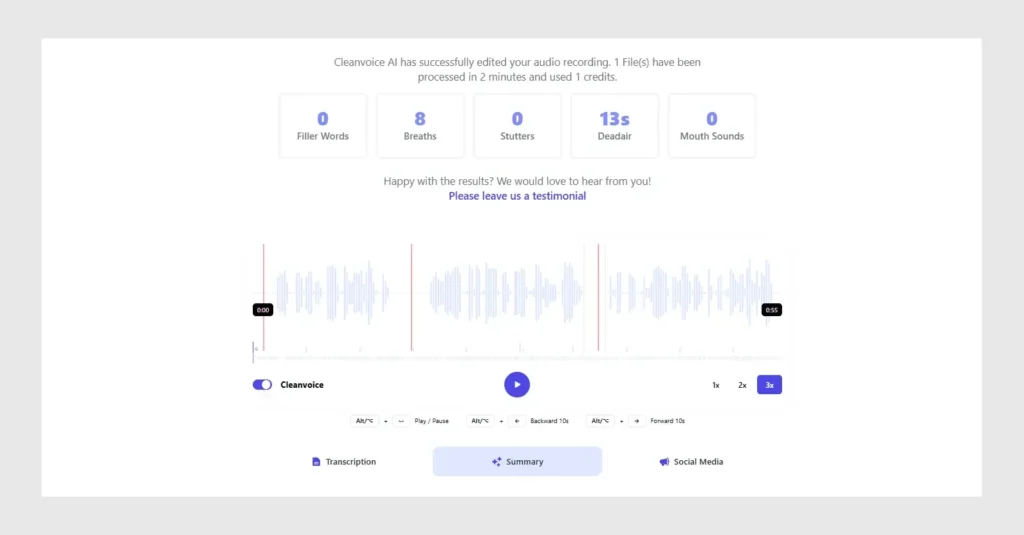
Cleanvoice AI solves the job most noise removers ignore: the ums, ahs, clicks and mouth sounds that make a recording feel amateur, even when the room is quiet. Upload your audio and Cleanvoice removes filler words, stuttering and background noise, and produces a cleaned timeline you can review before export. It also generates transcripts, summaries and timestamps, which feed straight into show notes.
The free trial covers 30 minutes of audio, which is enough to test it on a real episode. Cleanvoice suits podcasters who record clean audio in a decent room but lose hours to manual filler word editing.
Key features: filler word and stutter removal, background noise reduction, automatic transcripts and summaries, timeline review before export.
Pricing: free trial with 30 minutes, paid plans based on processing time. Check the official site for current pricing.
5. Resound
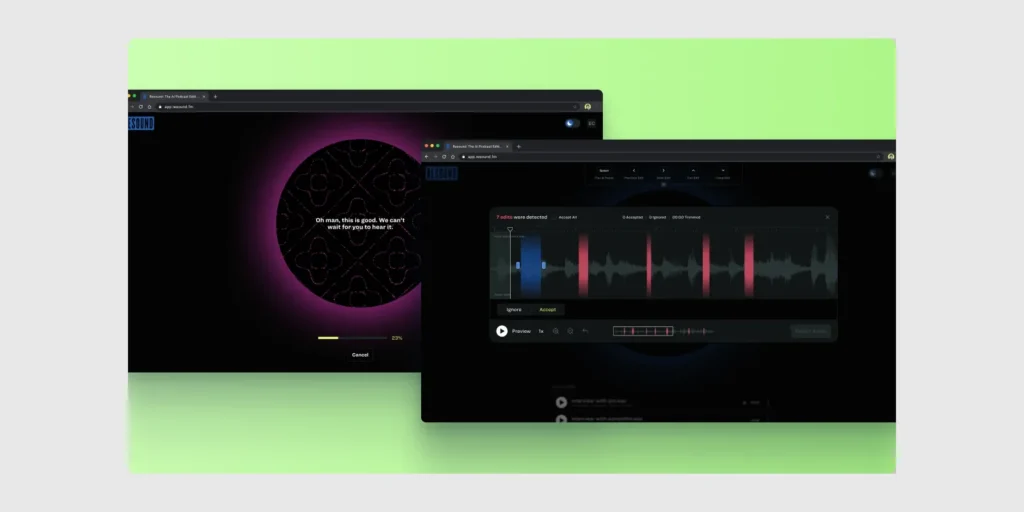
Resound is an AI mixing and mastering tool built specifically for podcasts. Upload your raw tracks and Resound mixes them, balances levels, removes noise, and masters the episode to podcast loudness standards, with a simple interface that does not assume audio engineering knowledge. It is the fastest path from raw recording to a publish ready file if you do not want to learn a digital audio workstation.
The free tier gives you 10 minutes of processing a month, which covers a short episode or a test run. Paid plans scale with usage. Resound is still less known than Descript or Auphonic, which is exactly why it belongs on an underrated list.
Key features: automated AI mixing and mastering, multitrack support, loudness normalisation, simple interface for non engineers.
Pricing: free tier with 10 minutes a month, paid plans vary. Check the official site for current pricing.
6. Krisp
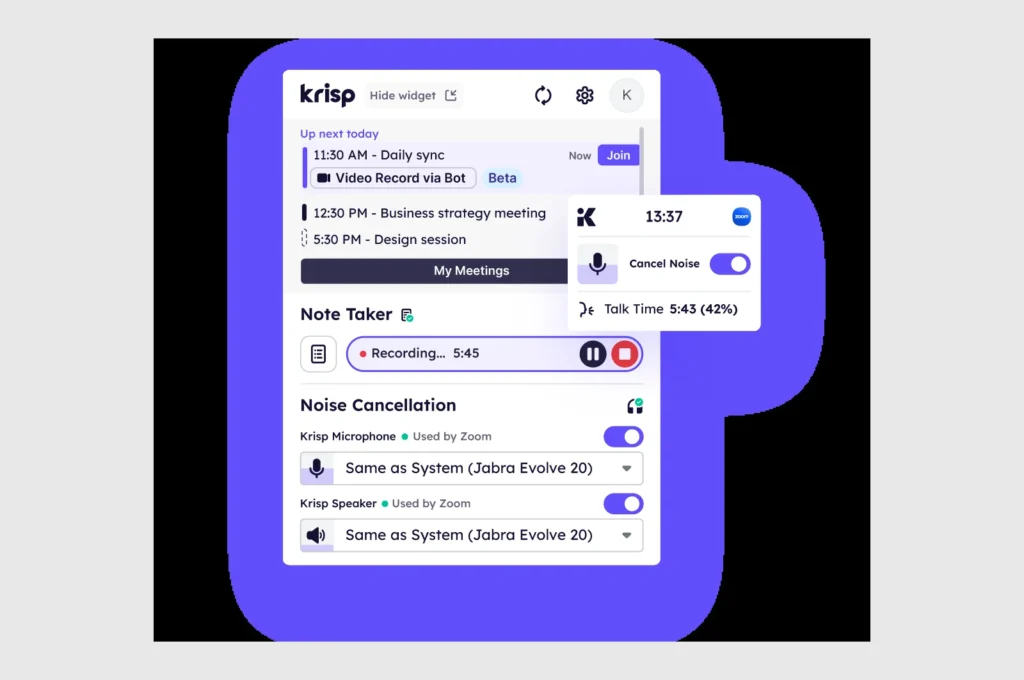
Krisp works at the other end of the process: during the recording itself. It is a real time noise cancellation app that removes background noise from live calls, barking dogs, keyboard clicks, traffic, construction, so your remote guest sounds clean before the audio ever reaches your editor. It works with Zoom, Riverside, Google Meet and any other call app.
The free tier gives you 60 minutes of noise cancellation a day, which covers most interview recordings. Krisp also offers AI meeting notes and transcription on paid plans. Clean audio at the source saves more editing time than any post production tool, which makes Krisp the cheapest time saver on this list.
Key features: real time background noise removal, works with any call app, voice cancellation for other speakers nearby, meeting transcription on paid plans.
Pricing: free tier with 60 minutes a day, paid plans vary. Check the official site for current pricing.
7. Podcastle
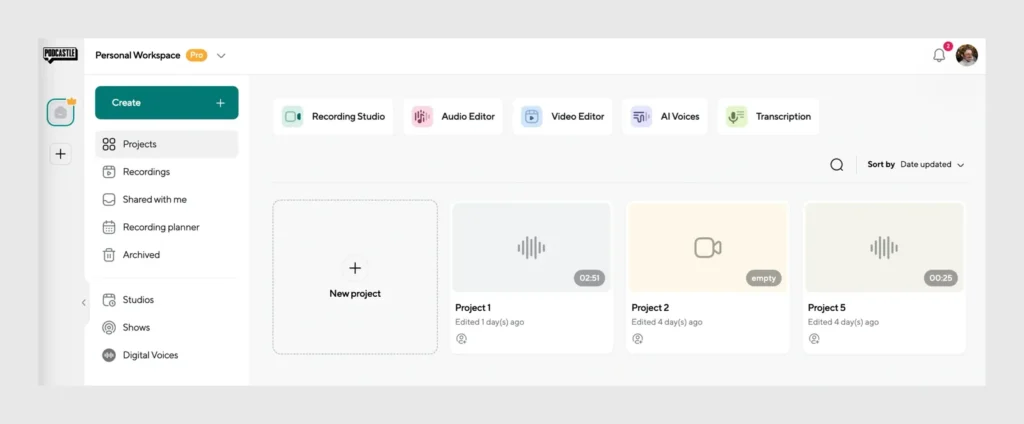
Podcastle is the all in one option: record, edit and clean up your podcast in one browser based studio. Its free tier includes AI powered audio cleanup that removes background noise and improves recording quality even on basic microphones, plus basic recording and editing tools and a limited allowance of AI voice features.
Podcastle suits beginners who want one tool instead of a chain of five. Record remote guests in studio quality, clean the audio with one click, edit in the browser, and export. It also offers AI voice cloning and text to speech for intros and ads on paid plans. For someone starting a podcast with no budget and no audio experience, Podcastle removes the barrier that used to require professional equipment or expensive software.
Key features: browser based recording studio, AI audio cleanup, text based editing, AI voices and text to speech, free tier for beginners.
Pricing: free tier available, paid plans vary. Check the official site for current pricing.
How to Build Your Podcast Audio Chain
You do not need all seven tools. A sensible chain uses three: Krisp during recording to keep the source clean, Descript or Podcastle for editing, and Auphonic at the end for mastering. If you only need one fix, go straight to Adobe Podcast Enhance for noise, Cleanvoice for filler words, or Resound for fast mixing. The total cost of a working stack can be $0 a month on free tiers, or around $12 to $24 a month with one paid plan.
One honest warning: AI audio cleaning is polishing, not repair. It is genuinely impressive on speech recorded in a bad room, and genuinely bad at rescuing unusable audio. Clipping and heavy room echo survive the processing. Record as clean as you can, close to the mic, in the quietest room available, and let AI do the finishing work.
Conclusion
The underrated tools in podcasting are the ones that do one job brilliantly and quietly. Adobe Enhance for the one click fix, Auphonic for consistent mastering, Descript for transcript editing, Cleanvoice for filler words, Resound for fast mixing, Krisp for clean recordings, and Podcastle for doing it all in one place. Try the free tier of the tool that matches your biggest pain point, and listen to the difference on your next episode. If you create video content too, our guide to turning YouTube videos into viral shorts with free AI covers the video side of the same workflow.
Don’t Miss These, Explore More Topics