Best Lightweight AI Coding Assistants for 8GB RAM Laptops
An 8GB RAM laptop is tight for AI work, but it is not a dead end. Your operating system, browser and editor already eat 3 to 4GB, which leaves roughly 4 to 5GB for an AI assistant. That rules out the big cloud style models running locally, but it leaves plenty of room for a useful coding helper, either a small local model running through a lightweight assistant, or a cloud assistant whose heavy lifting happens on someone else server.
This guide covers seven coding assistants that genuinely work on 8GB machines in 2026. Four run local models on your own hardware, two run in the cloud so they barely touch your RAM, and one is a featherweight editor with AI built in. We also cover which models actually fit in 8GB, because the assistant is only half the story.
Quick Comparison: 7 Lightweight AI Coding Assistants
| Assistant | How It Runs | RAM Footprint | Price | Best For |
|---|---|---|---|---|
| Continue | Local models via Ollama | Light, model uses 2 to 5GB | Free, open source | Best all rounder for local coding |
| Cline | Local or cloud models | Light, model uses 2 to 5GB | Free, open source | Agentic multi file edits |
| Aider | Terminal, local or cloud | Very light | Free, open source | Terminal fans, Git workflows |
| Tabby | Self hosted server | Light, model uses 2 to 5GB | Free, open source | Team code completion |
| GitHub Copilot | Cloud | Almost none locally | Free tier, Pro from $10 a month | Best completions, zero local load |
| Cody | Cloud | Almost none locally | Free tier available | Chat over your whole codebase |
| Zed | Editor with local AI | Very light editor | Free, open source | Fast editor plus AI in one |
Share:
1. Continue
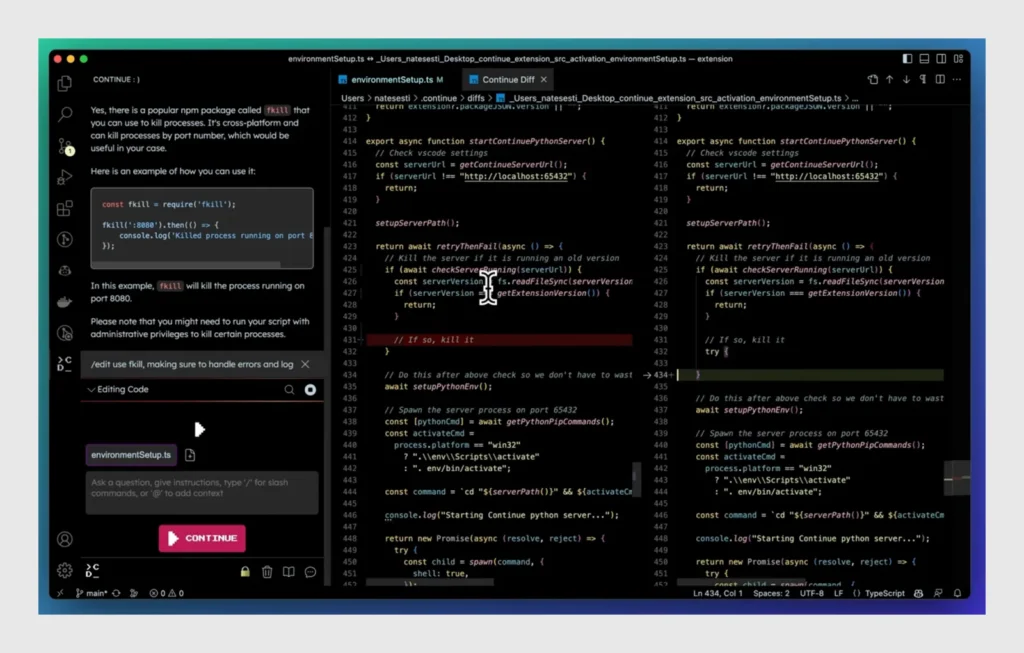
Continue is the most practical starting point for local AI coding on a modest laptop. It is a free, open source extension for VS Code and JetBrains IDEs that connects to local models through Ollama or LM Studio, and it adds a chat sidebar, inline code editing and autocomplete to the editor you already use. Because Continue itself is just an interface, its own RAM use is tiny, the model is what uses memory, and you choose how big that model is.
On an 8GB machine, pair Continue with Qwen2.5 Coder 3B for fast autocomplete, or Qwen2.5 Coder 7B at 4 bit quantisation if you can spare around 5GB and want better code quality. The setup is a few minutes: install Ollama, pull a model, install the Continue extension, point it at your local model. It works fully offline, your code never leaves your machine, and there is no per token cost.
Key features: chat and inline edit in VS Code and JetBrains, works with Ollama, LM Studio and cloud APIs, autocomplete with fill in the middle support, fully offline capable.
Pricing: free and open source. Local models are free to download.
2. Cline
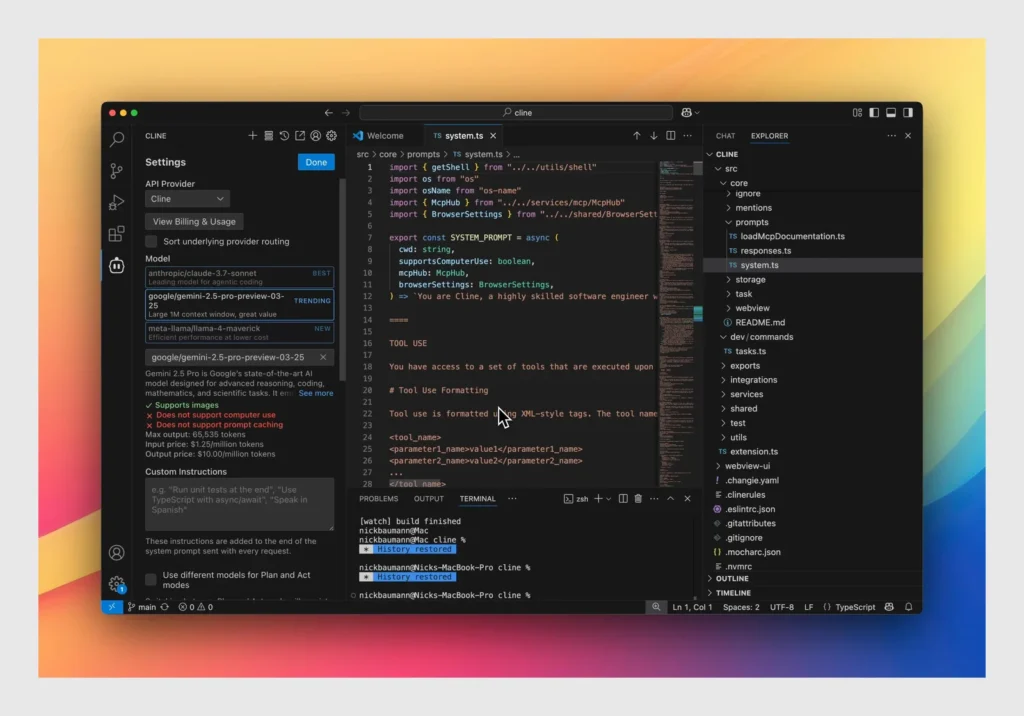
Cline, formerly Claude Dev, is an open source AI coding agent for VS Code that goes further than a chat assistant: it can read your files, run terminal commands, create and edit multiple files, and work through a task step by step with your approval at each stage. It works with local models through Ollama or LM Studio, or with cloud models if you prefer.
On 8GB of RAM, Cline pairs best with a small but capable local model. The agent style means it makes many model calls per task, so a 3B to 4B model keeps things responsive, while a 7B model gives better results at the cost of slower responses. Keep your browser closed while it works and it stays usable. Cline is the pick if you want an assistant that does multi file work rather than just answering questions.
Key features: agentic coding with terminal access, plan and act modes, works with local models or cloud APIs, checkpointing so you can undo agent changes.
Pricing: free and open source. You pay only for cloud API usage if you choose a cloud model.
3. Aider
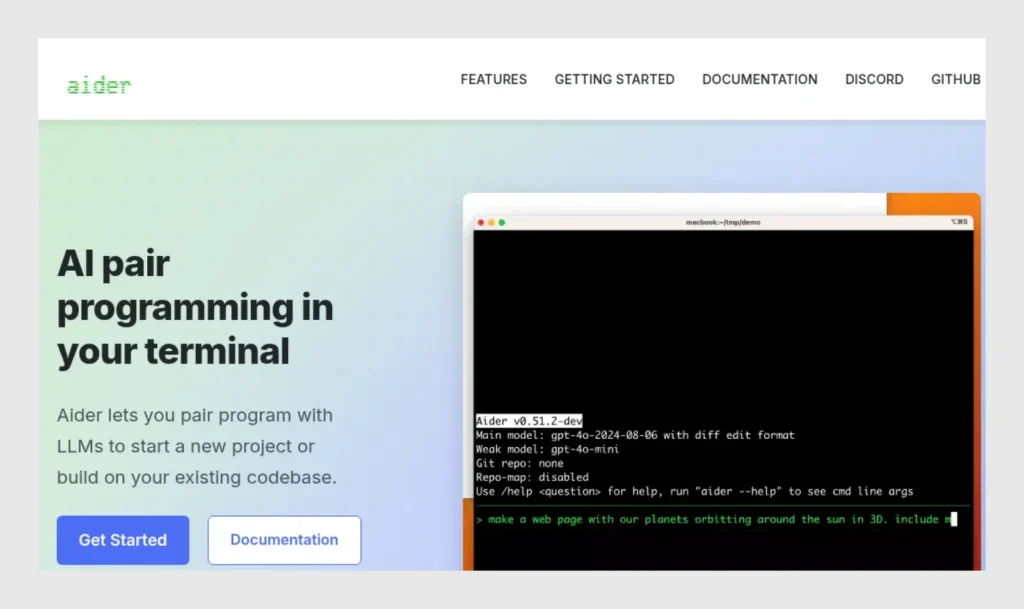
Aider is a command line AI pair programmer, and it is the lightest assistant on this list by a wide margin. It runs in your terminal, edits code in your Git repository directly, and is famously good at working with existing codebases. There is no heavy editor plugin and no web UI, just a chat loop in the terminal that knows your repo.
Aider works with local models through Ollama, which makes it a strong fit for 8GB laptops, and it also supports cloud models when you want more power. It automatically commits changes to Git with sensible messages, which makes it easy to review and roll back anything the AI does. If you live in the terminal and want the smallest possible footprint, start here.
Key features: terminal based, edits real files in your Git repo, automatic Git commits, works with Ollama local models and cloud APIs, voice input support.
Pricing: free and open source.
4. Tabby
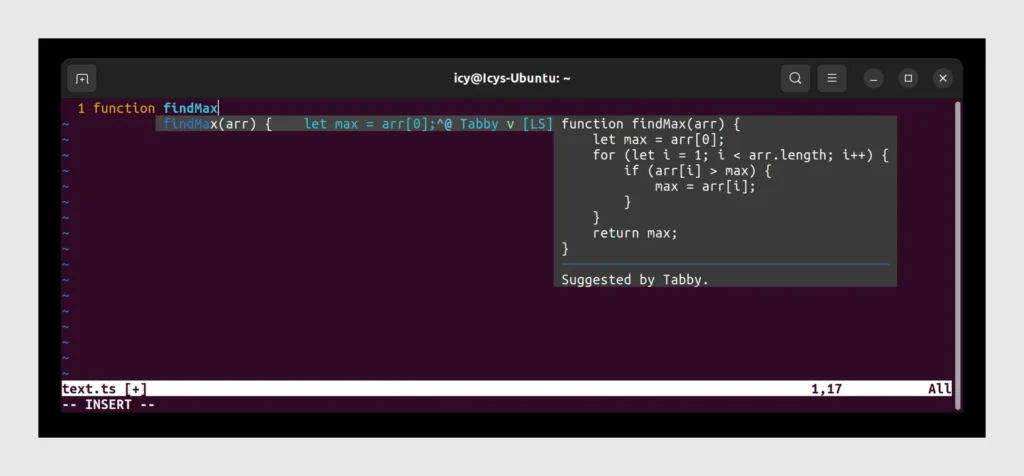
Tabby is a self hosted, open source AI coding assistant focused on code completion. You run a small Tabby server on your own machine, connect it to a local model, and get Copilot style autocomplete in VS Code, JetBrains, Vim and other editors. Because the server and model run locally, your code stays private and there is no subscription.
Tabby is especially good if several people share one machine or a small team server, since one instance serves many editors. On a single 8GB laptop, run it with a 1.5B to 3B code model such as Qwen2.5 Coder 1.5B, which uses under 2GB, and you get fast completions without slowing the rest of your system down.
Key features: self hosted autocomplete server, open source, works with many editors, model choice is yours, team friendly.
Pricing: free and open source for self hosting.
5. GitHub Copilot
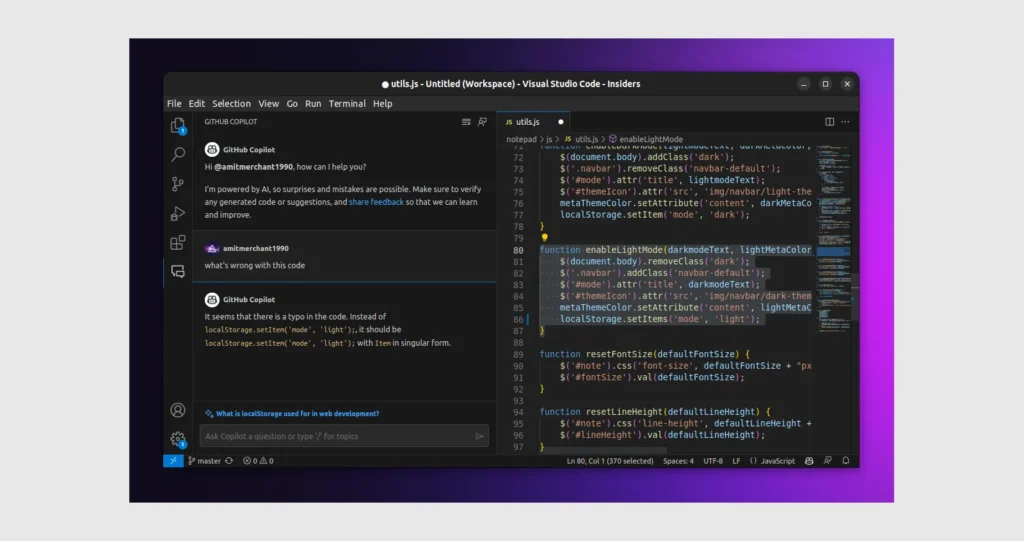
Not every lightweight solution runs locally. GitHub Copilot does all of its heavy thinking in the cloud, so the extension itself uses almost no RAM on your laptop, which makes it one of the best options for an 8GB machine if you have a decent internet connection. It offers code completions, a chat panel, and an agent mode that can work through multi step tasks in VS Code.
Copilot has a free tier with a monthly allowance of completions and chat, and Copilot Pro starts from around $10 a month. The trade off versus local tools is privacy and cost: your code goes to GitHub servers, and the free tier has limits. But for raw coding quality on a weak laptop, nothing local at 3B to 7B matches a frontier cloud model, and Copilot needs no GPU at all.
Key features: inline completions, chat and agent mode in VS Code and JetBrains, almost no local resource use, works on any hardware with internet.
Pricing: free tier available, Pro from around $10 a month. Check the official site for current limits.
6. Cody
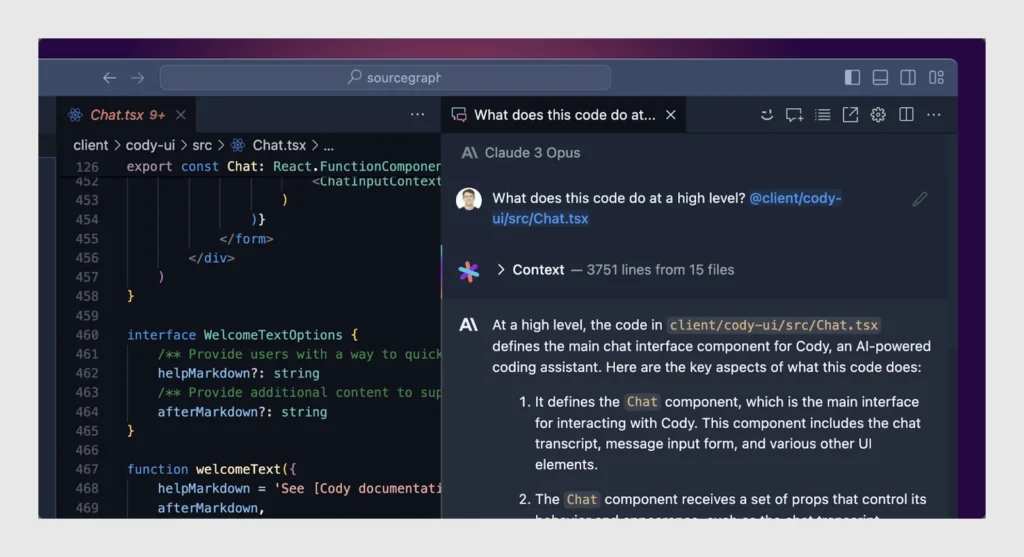
Cody, from Sourcegraph, is a cloud based AI coding assistant with a strong free tier and a particular strength: it understands your whole codebase, not just the file you have open. It indexes your repository and uses that context to answer questions, explain code, and generate changes that fit your existing patterns.
Like Copilot, Cody runs in the cloud, so your 8GB laptop only runs a lightweight editor extension. It works in VS Code, JetBrains and other editors, and its free tier is generous enough for learning and small projects. If you spend more time reading and understanding code than writing it from scratch, Cody chat over the codebase is the feature that stands out.
Key features: codebase aware chat, works across VS Code and JetBrains, autocomplete and inline edits, generous free tier.
Pricing: free tier available, paid plans vary. Check the official site for current pricing.
7. Zed
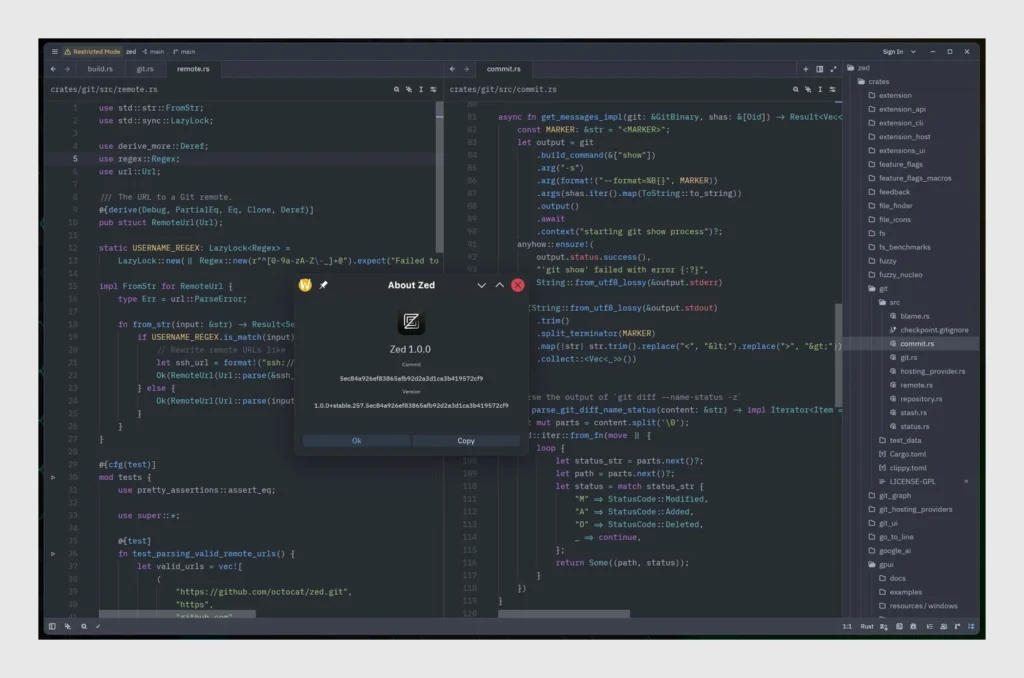
Zed is a next generation code editor built in Rust, and it is fast in a way that matters on 8GB machines: it starts in under a second and uses a fraction of the memory of Electron based editors. It has AI features built in, including an assistant panel, inline edits and support for local models through Ollama, so you can pair a tiny editor with a tiny model and keep everything snappy.
Zed is open source and free, with collaboration features built in for pair programming. It is the best choice if your real problem is not just the AI assistant but the editor itself eating your RAM. Switching from a heavy editor to Zed can free up a gigabyte or more, which is exactly the headroom a local model needs.
Key features: extremely fast and light editor, built in AI assistant panel, Ollama local model support, real time collaboration, open source.
Pricing: free and open source. Optional hosted model usage is billed separately.
Which Model Actually Fits in 8GB of RAM?
The assistant is only half the equation. For local tools, the model you choose decides whether your laptop stays usable or starts swapping to disk. As a rule of thumb for 2026, aim for models that use 5.5GB or less at 4 bit quantisation, so your system does not start paging.
| Model | Size at 4 bit | RAM Use | Best For |
|---|---|---|---|
| Qwen2.5 Coder 1.5B | About 0.9GB | Under 2GB | Fast autocomplete, very tight systems |
| Qwen2.5 Coder 3B | About 2GB | 2 to 3GB | Safe all rounder for 8GB laptops |
| Phi 4 Mini 3.8B | About 2.5GB | 2.5 to 3GB | Lightest serious general model |
| Qwen3.5 4B | About 3.3GB | 3 to 4GB | Best small general model of 2026 |
| Qwen2.5 Coder 7B | About 4.7GB | 4.8 to 5.5GB | Best coding quality that fits 8GB |
Start with the 3B class. If your laptop still feels fast with the browser open, try the 7B model and see how it handles your workload. Close unused tabs and apps before running a 7B model, and keep context lengths modest, long contexts eat RAM fast.
Local or Cloud: Which Is Right for You?
Choose local tools like Continue, Aider, Cline and Tabby if privacy matters, if you work offline, or if you want zero ongoing cost. Choose cloud tools like Copilot and Cody if you want the best code quality and your internet is reliable. Many developers use both: a local assistant for quick work and private code, and a cloud assistant for the hard problems. If you want to go deeper on running models locally, see our guide on how to run AI models locally, and our ChatGPT Alternatives draft covers the local chat side of the same setup.
Conclusion
An 8GB laptop is not a barrier to AI assisted coding in 2026, it just changes the recipe. Pair a lightweight assistant like Continue or Aider with a 3B to 7B code model, or skip local compute entirely with Copilot or Cody in the cloud. Either way, you get real help writing, understanding and fixing code, without buying a new machine. Start with Continue and Qwen2.5 Coder 3B, it is free, private, and takes about ten minutes to set up.
Don’t Miss These, Explore More Topics